Travel logbook for South Africa
Kilos the taxman can’t argue with.
Claiming business travel means keeping a logbook of every kilometre, business and private. TaxmanSeKilos makes that quick enough to actually do.

Coming soon to Google Play
Free · iPhone (iOS 17 or later) and Android (12 or later) · English or Afrikaans · no account
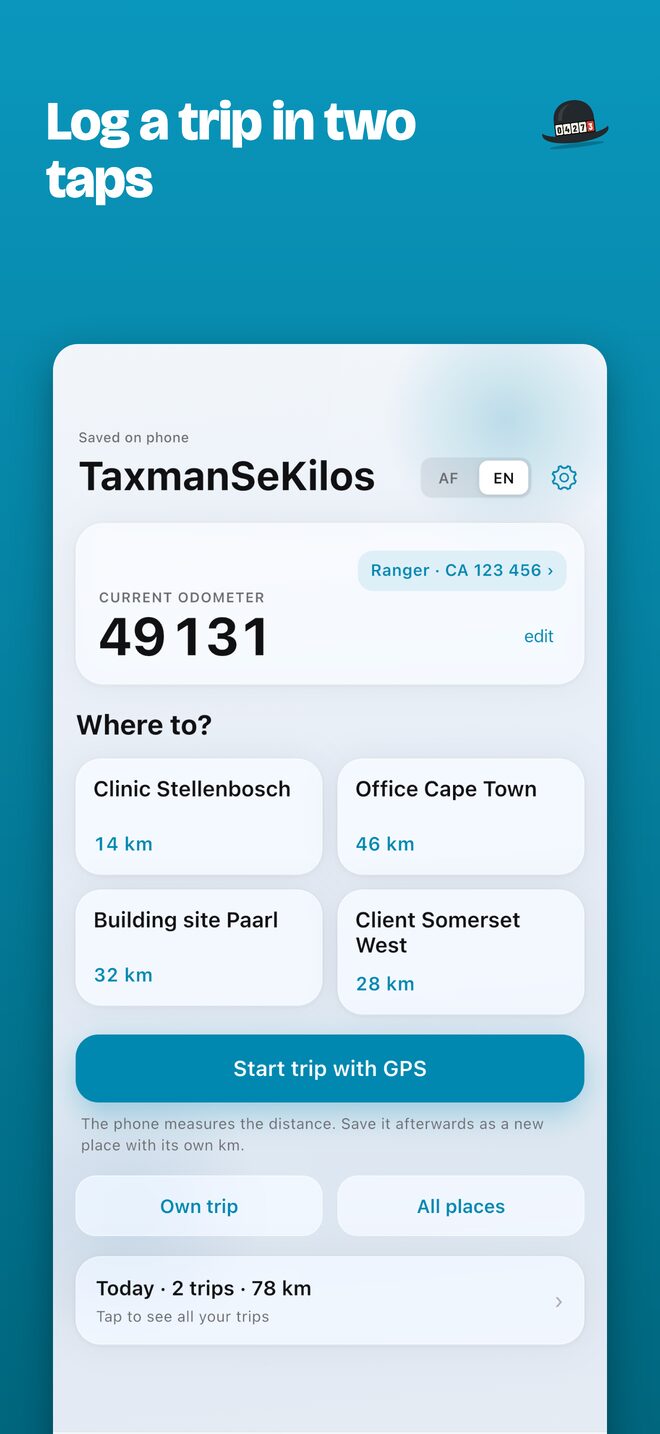
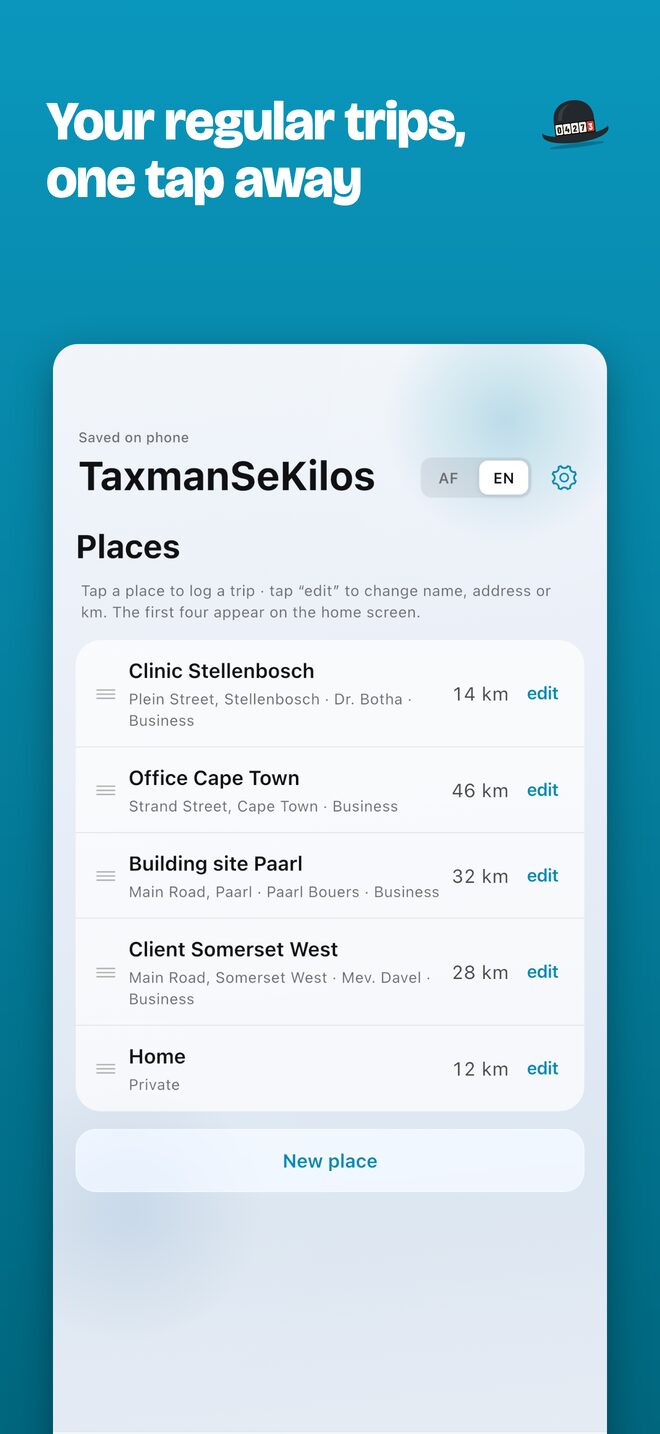
Your regular trips, one tap away
Save the places you drive to (clients, the office, a building site) with where you usually start and the usual distance. Tap one on the home screen, check the odometer reading, save: a trip in two taps.
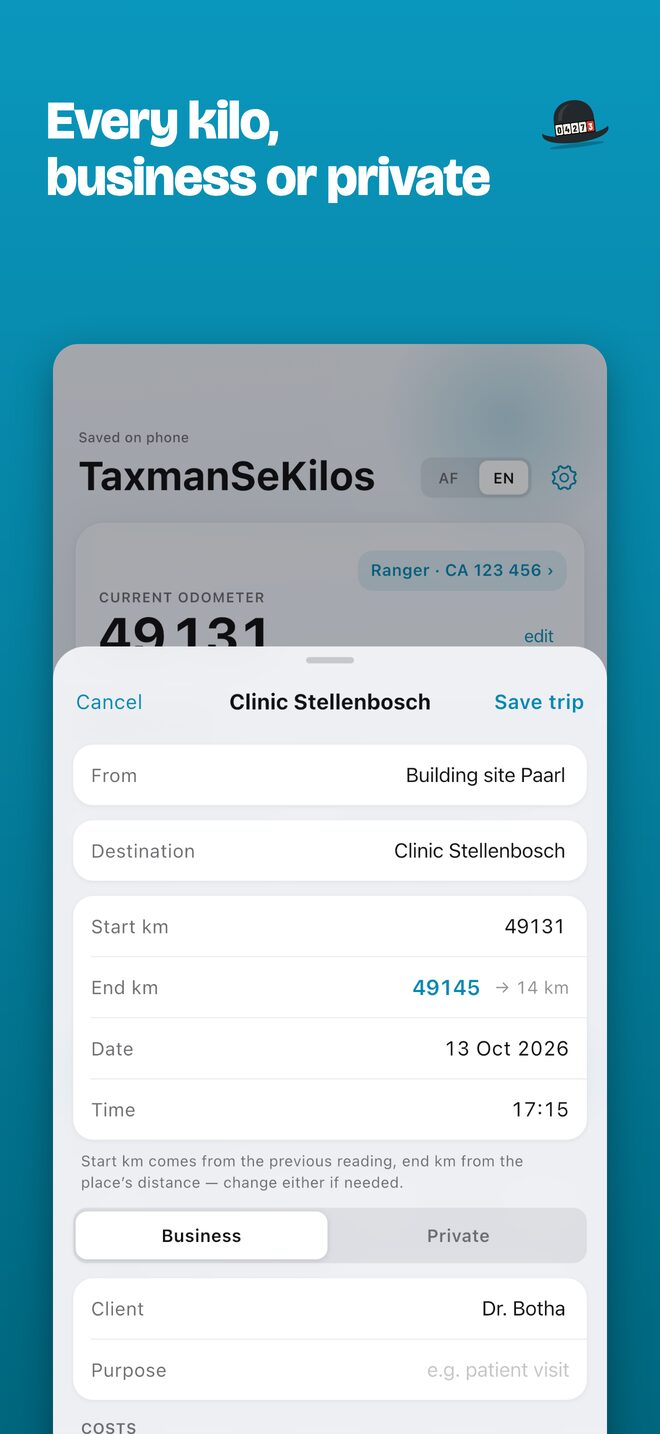
Every kilo, business or private
Each trip starts at the previous odometer reading and ends at a new one. Mark it business or private, with the client and purpose your claim needs.
Add tolls, parking and fuel to a trip, with a photo of the receipt.
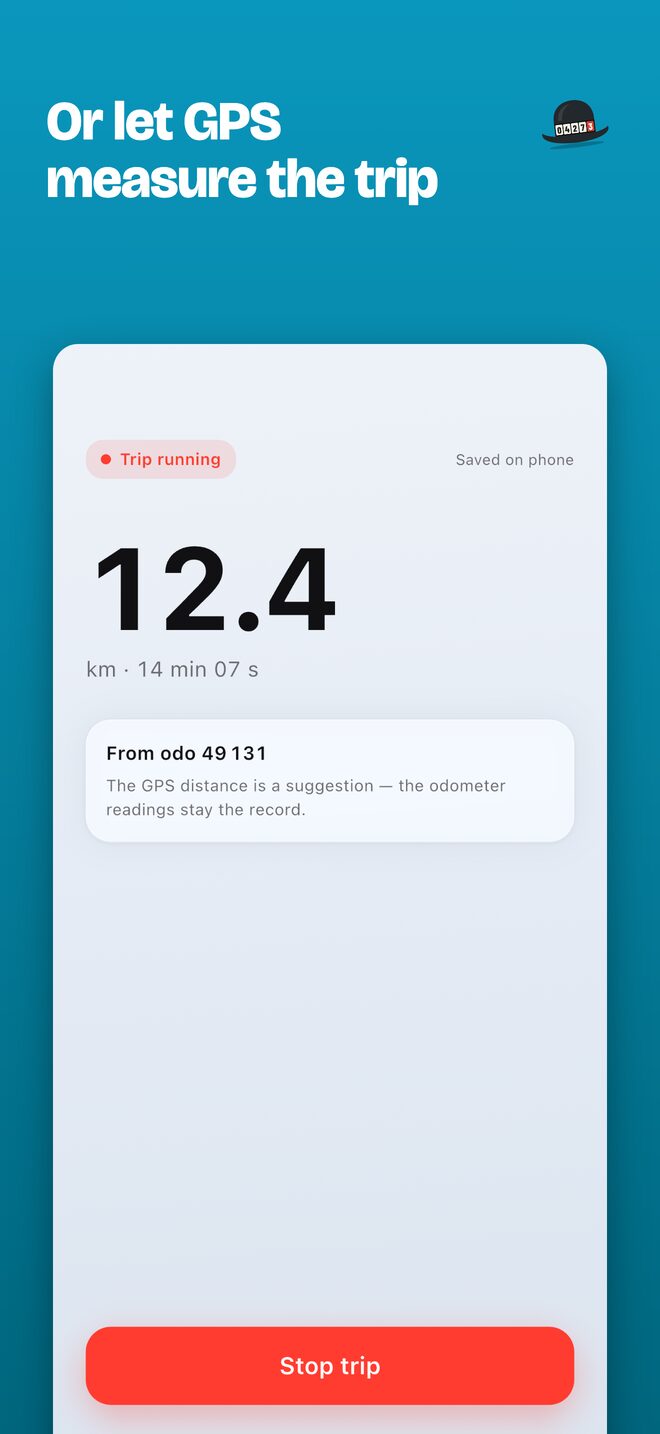
Or let GPS measure the trip
Start a trip with GPS, drive, and stop it when you arrive. The phone measures the distance, and you check it before saving. Location is used only while a trip you started is running, and no route is stored. The trip starts from a saved place within 300 m of where you set off, or where your last trip ended, or from a new place you can name later.
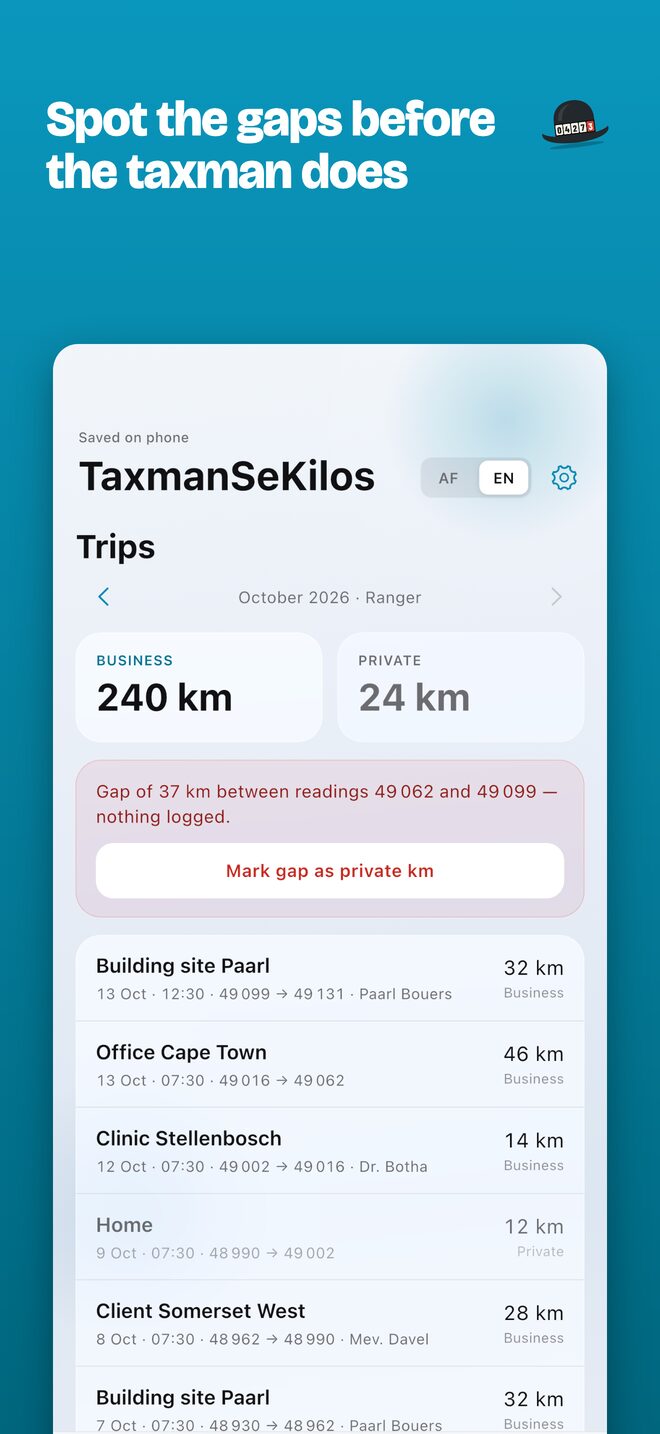
Spot the gaps before the taxman does
Every trip runs from one odometer reading to the next, so your logbook adds up. If kilometres go missing between trips, TaxmanSeKilos shows the gap and lets you mark it as private in one tap.
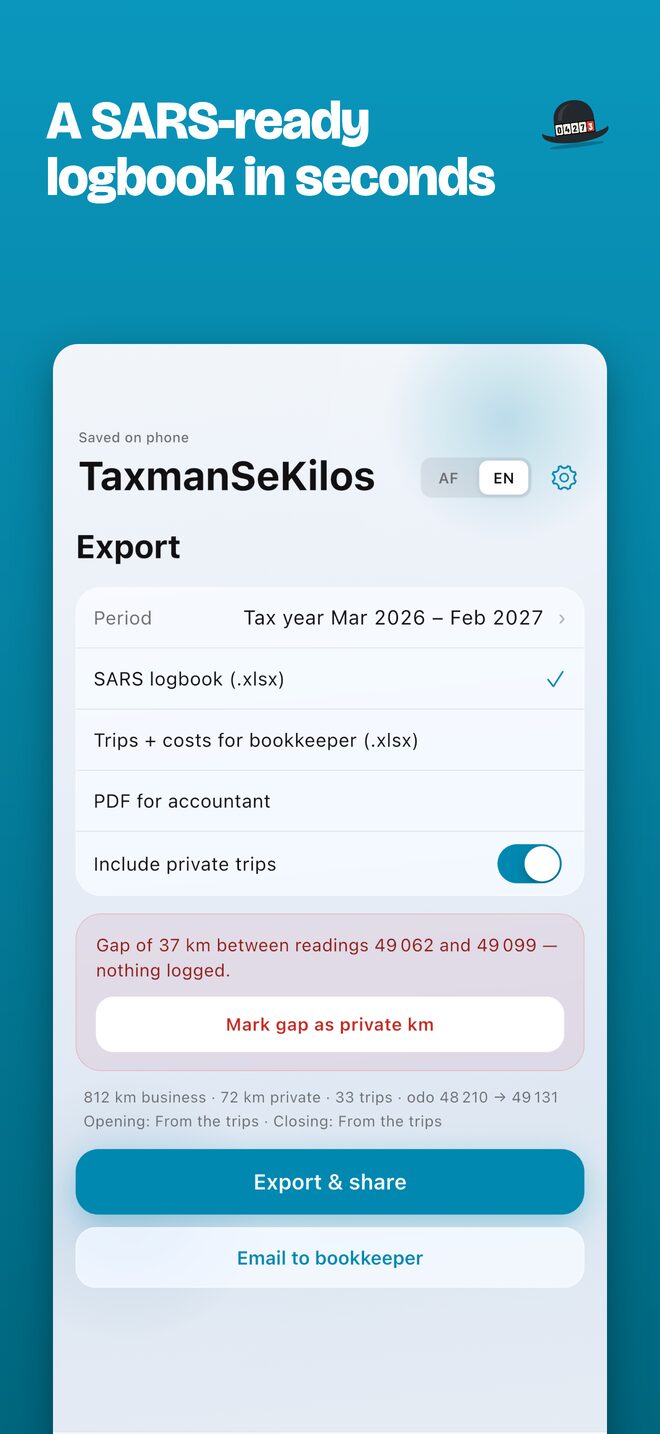
A SARS-ready logbook in seconds
At tax time, export the year as a SARS logbook spreadsheet, a workbook for your bookkeeper, or a PDF with your receipts for your accountant. Share it or email it straight from the app.
Yours, on your phone
No account and no sign-up. Everything is saved on your phone, and logging works without signal. Export a backup file to keep wherever you like, and import it on a new phone, iPhone or Android. There are no ads and no tracking, and we never see your logbook.
In English or Afrikaans. Several vehicles, each with its own odometer and trips.
Logbook guide · Support · Press
Coming soon to Google Play